
Logitech Price in jessore
Logitech is a globally recognised technology brand specialising in computer peripherals, productivity devices, gaming hardware, webcams, headsets, microphones, speakers, presentation tools and video-conferencing equipment. The brand serves a wide range of users, from students and home computer users to professionals, content creators, gamers, streamers, businesses and hybrid-working teams. Its product portfolio includes everyday accessories as well as advanced devices designed for specialised workflows.
For customers in Bangladesh, Logitech is particularly relevant when choosing a keyboard, mouse, webcam, headset, speaker, gaming peripheral or complete desktop accessory setup. The brand's product families cover different budgets and use cases, making it possible to select equipment according to comfort, connectivity, productivity, gaming performance and workspace requirements.
Logitech Products in Bangladesh
Logitech offers a broad selection of computer and digital accessories. Its current product categories include mice, keyboards, keyboard and mouse combinations, webcams, headsets and earbuds, speakers, microphones, presentation devices, gaming peripherals, driving equipment and tablet keyboard accessories.
The breadth of the portfolio means that Logitech can serve very different customer requirements. A student may need a reliable wireless mouse and keyboard, an office worker may prefer an ergonomic setup, a content creator may need a high-quality webcam and microphone, while a gamer may look for a responsive gaming mouse, mechanical keyboard and dedicated gaming headset.
- Computer keyboards
- Wireless and wired mice
- Ergonomic keyboards and mice
- Keyboard and mouse combos
- Gaming keyboards and gaming mice
- Gaming headsets
- Business and office headsets
- Webcams and conference cameras
- Computer speakers
- Microphones
- Presentation remotes
- Gaming controllers and driving equipment
- Tablet keyboard cases
- Desk accessories and related peripherals
Logitech Keyboard
Logitech keyboards are available in several formats for different computing requirements. Customers can choose between compact keyboards, full-size layouts, wireless models, wired options, ergonomic designs, productivity-focused keyboards and gaming keyboards.
For office work, typing comfort and key layout can be more important than advanced gaming features. Professionals who spend many hours writing documents, working with spreadsheets, programming or managing business applications may prefer a keyboard designed around comfortable long-duration use.
Logitech also offers compact keyboards that save desk space. These can be useful for smaller workstations, home offices, laptop users and customers who prefer a minimal desktop setup.
Logitech Wireless Keyboard
A Logitech wireless keyboard can reduce cable clutter and provide greater flexibility when arranging a workspace. Depending on the model, wireless connectivity may use Bluetooth or a dedicated USB receiver.
Before buying a wireless keyboard, customers should check the supported operating systems, connection method, device compatibility, battery or charging arrangement and preferred keyboard layout. Users who frequently switch between multiple devices may benefit from a model designed for multi-device connectivity.
Logitech Mechanical Keyboard
Logitech mechanical keyboards are designed for users who prefer mechanical key switches and a more distinctive typing experience. They can be suitable for gaming, programming, content creation and everyday productivity.
Gaming-oriented Logitech mechanical keyboards may include features designed around responsiveness, customisation and gaming control. Productivity-focused mechanical keyboards can instead prioritise typing feel, workspace flexibility and compatibility with different operating systems.
Customers should consider switch type, keyboard layout, connection method, size and intended use before selecting a mechanical model. Mechanical keyboards can feel very different from one another, so the preferred typing experience is an important part of the buying decision.
Logitech Mouse
Logitech mice range from simple everyday models to advanced professional and gaming devices. A suitable mouse can make a noticeable difference to navigation, productivity and comfort during long computer sessions.
Basic Logitech mice can be appropriate for office computers, school work and general home use. Productivity-oriented models can offer additional controls, improved scrolling and multi-device functionality, while gaming mice are designed around precision, responsiveness and customisation.
Logitech Wireless Mouse
Wireless Logitech mice are popular for laptops, desktop computers and flexible workstations. Removing the traditional cable can make a desk cleaner and easier to organise.
Different wireless models use different connection technologies. Some rely on Bluetooth, while others use a dedicated wireless receiver. Certain models can support more than one connection method, which can be helpful for users who regularly move between a laptop and desktop computer.
Customers should also consider battery life, mouse size, hand shape, button configuration and operating surface. A technically advanced mouse is not necessarily the best choice if its shape does not suit the user's hand.
Logitech MX Series
The Logitech MX family is positioned toward productivity, creative work and professional computing. Products in the MX range include advanced mice, keyboards and other workspace devices designed for users who value precision, comfort, multi-device workflows and customisation.
Models such as the MX Master family are designed for productivity-heavy mouse use, while MX Keys and related keyboard products target professional typing and desktop workflows. Selected devices support multi-device workflows, allowing users to work across compatible computers without requiring a completely separate peripheral setup for every system.
The MX range is particularly relevant to programmers, designers, analysts, writers, office professionals and content creators who spend substantial time at a computer.
Logitech Ergo Series
Logitech's Ergo products focus on more comfortable interaction with computers. Ergonomic keyboards and mice can be useful for people who spend extended periods typing, navigating spreadsheets, programming or performing office tasks.
Ergonomic equipment should be selected according to individual hand size, preferred posture, desk height and working habits. An ergonomic mouse or keyboard can support a more comfortable setup, but correct workstation positioning remains important.
Logitech Keyboard and Mouse Combo
Logitech keyboard and mouse combos provide a convenient way to create a matching desktop setup. Combos can be useful for students, office workers, home users, reception desks and shared workstations.
Choosing a combo can also simplify purchasing because the keyboard and mouse are designed to work as a coordinated set. Customers should still check connection method, keyboard layout, operating system support and battery requirements before purchasing.
Logitech Webcam
Logitech webcams are widely used for video calls, online classes, remote work, live streaming, content creation and virtual meetings. The product range includes entry-level webcams as well as higher-end models designed for demanding video communication.
When selecting a Logitech webcam, customers should consider resolution, frame rate, autofocus behaviour, microphone quality, low-light performance, field of view and mounting requirements. The right specification depends on whether the webcam will mainly be used for casual calls, professional meetings, streaming or content production.
Logitech Brio Webcam
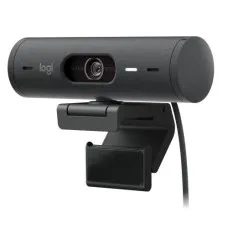
Brio is a Logitech webcam family aimed at users who want higher-quality video communication and content creation. Selected Brio models provide higher-resolution video and features intended to improve the appearance of video in different working environments.
Brio-class webcams can be suitable for professionals, streamers, educators, online presenters and creators who want a stronger camera setup than a basic laptop webcam. Customers should match the webcam with their lighting environment and computer capabilities to get the best practical result.
Logitech Headset
Logitech headsets are available for office communication, online meetings, gaming, remote work and general entertainment. The range includes USB headsets, wired 3.5 mm models, wireless headsets and gaming-focused designs.
For office users, microphone clarity and wearing comfort can be more important than extreme audio performance. Gaming users may prioritise positional audio, microphone performance, wireless freedom and compatibility with their gaming platform.
Logitech Gaming Headset
Logitech gaming headsets are designed for players who need immersive sound, clear communication and convenient control during gaming sessions. Selected models are available with wired or wireless connectivity and may include features such as surround or spatial audio support, programmable controls and gaming-oriented microphone systems.
Before buying a gaming headset, check whether it is compatible with the intended PC, PlayStation, Xbox or other platform. Wireless gaming headsets can also have platform-specific compatibility limitations, so customers should verify the exact model rather than assuming universal support.
Logitech G Gaming Products
Logitech G is the brand's gaming-focused family, covering gaming mice, keyboards, headsets, microphones, mouse pads, controllers and racing equipment. It is designed for gamers ranging from casual players to competitive users and content creators.
Gaming products in this range can be selected according to game type and playing style. A lightweight mouse may appeal to competitive FPS players, while additional buttons can be useful for MMO or productivity-oriented gaming. Mechanical keyboards can provide a different response compared with conventional membrane designs.
Logitech Gaming Mouse
A Logitech gaming mouse can be useful for competitive gaming, casual gaming and general PC use. Gaming models may provide higher precision, configurable controls, adjustable sensitivity and specialised connectivity options.
Competitive players should consider weight, shape, sensor performance, polling behaviour, button placement and connection stability. A mouse that feels comfortable during long sessions can be more valuable than one selected solely because it has the highest specification.
Logitech G PRO Series
The Logitech G PRO family is associated with competitive gaming hardware. Products in this family focus on performance-oriented gaming mice, keyboards and headsets, with selected wireless models designed for players who want fewer cables without giving up responsive control.
For competitive gaming, customers should consider the complete setup rather than focusing on one peripheral. Mouse shape, keyboard response, monitor performance, desk space and the player's preferred game genre all contribute to the final experience.
Logitech G502
The G502 family is one of Logitech's established gaming mouse lines. Its design philosophy centres around extensive control, customisation and gaming-oriented functionality. Different generations and variants can differ substantially in weight, switches, connectivity and feature sets.
Customers interested in a G502 should therefore compare the exact model before buying. A wired version, wireless version or newer generation may suit different gaming setups and budgets.
Logitech Webcam for Online Classes
Students can use Logitech webcams for online classes, virtual presentations, tutoring and group discussions. A dedicated webcam can improve camera positioning and image quality compared with many integrated laptop cameras.
For education, customers do not necessarily need the highest-resolution webcam. A reliable camera with suitable autofocus, clear audio and good compatibility can provide a more practical solution for everyday online learning.
Logitech Webcam for Streaming
Content creators and streamers can consider Logitech webcams when they need a straightforward camera for live broadcasts, tutorials, video calls or social content. Higher-end models can provide better image quality and more control than entry-level webcams.
Lighting remains extremely important. Even an advanced webcam can produce poor results in a dark or unevenly lit room. Customers should consider the entire recording environment rather than focusing only on camera resolution.
Logitech Microphones
Logitech offers microphones for gaming, streaming, communication and content creation. Dedicated microphones can provide a more controlled audio setup than the microphone built into a laptop or basic webcam.
Creators should consider microphone pickup pattern, connection method, mounting arrangement, room acoustics and intended recording style. USB microphones can be convenient for desktop setups because they generally require fewer additional components.
Logitech Speakers
Logitech speakers can be used with desktop computers, laptops, entertainment systems and gaming setups. The portfolio includes compact computer speakers as well as more capable multimedia and portable audio products.
When selecting speakers, customers should consider room size, listening distance, connection options, bass requirements and available desk space. A compact speaker system may be ideal for a small workstation, while a larger setup can be more suitable for entertainment-focused use.
Logitech Conference Cameras
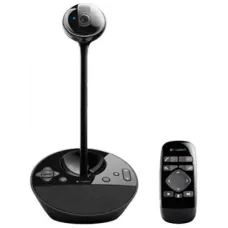
Logitech conference cameras are designed for professional meeting environments. Businesses can use dedicated video-conferencing hardware for meeting rooms, collaboration spaces and hybrid work environments.
Conference equipment should be selected according to room size, participant count, display configuration, microphone coverage and the video-conferencing platform being used. Small meeting rooms and large conference rooms can require very different solutions.
Logitech Business Products
Logitech offers dedicated business products designed for office environments. These include keyboards, mice, webcams, headsets, presentation devices and video-conferencing solutions.
Business-focused peripherals can help standardise equipment across an organisation. Features such as wireless management, multi-device connectivity, ergonomic design, replaceable components and enterprise-oriented deployment options can be valuable when many employees use the same hardware environment.
Logitech for Office Work
Office users often spend several hours every day interacting with keyboards and mice. Comfortable peripherals can therefore contribute to a more practical workstation.
For administrative work, accounting, data entry, programming and document creation, keyboard comfort and accurate mouse control can be particularly important. Logitech offers both basic and advanced options, allowing businesses to match equipment with employee requirements and budget.
Logitech for Programming
Programmers can benefit from a keyboard with comfortable key spacing, reliable switches and a layout that suits long coding sessions. A precise mouse and multi-device workflow can also be useful for developers who move between different computers or displays.
Compact keyboards may appeal to programmers who want more desk space for a mouse, while full-size models can be preferable for users who frequently work with numerical data.
Logitech for Graphic Designers and Creators
Graphic designers, video editors, photographers and content creators often need accurate input devices and flexible workspace tools. Logitech productivity products can complement creative workflows by providing customisable controls, comfortable input and multi-device functionality on selected models.
Creators should consider software compatibility as well as physical hardware. A device with programmable controls can be particularly useful when its functions can be configured around frequently used applications.
Logitech for Students
Students can use Logitech keyboards, mice, webcams and headsets for studying, online classes, assignments, presentations and entertainment. Entry-level models can provide a practical upgrade over basic bundled peripherals, while more advanced devices can suit students who spend many hours at a computer.
For a student workstation, comfort, reliability and compatibility are usually more important than buying the most expensive peripheral available.
Logitech Compatibility
Compatibility should always be checked before purchasing a Logitech product. Different devices may support Windows, macOS, ChromeOS, Linux, iPadOS, Android or other platforms depending on the model.
Connection type is equally important. A Logitech product may use USB, Bluetooth, a dedicated wireless receiver or a combination of connection methods. Customers should check the available ports on their computer before selecting the product.
Logitech Software and Customisation
Selected Logitech peripherals can be configured through Logitech software. Depending on the product family, software can provide options for button customisation, device settings, application-specific profiles, lighting control and workflow configuration.
Customers should verify software compatibility with their operating system and exact model. Not every Logitech device supports the same software or customisation features.
Logi Options+ and Productivity
Logitech's productivity ecosystem includes software designed to help users configure compatible mice, keyboards and other devices. Features can include button customisation, application-specific actions and workflow adjustments.
This can be especially useful for professionals who use the same applications repeatedly. Designers, developers, analysts and office workers can configure compatible controls around their normal workflow rather than relying only on default functions.
Logitech Wireless Connectivity
Wireless Logitech devices can use different technologies depending on the model. Bluetooth can be convenient for laptops and mobile workstations, while dedicated wireless receivers can provide another connection method for compatible peripherals.
Some advanced products support switching between multiple devices. This can be useful for users who work with a desktop and laptop simultaneously and want to minimise the number of keyboards or mice on the desk.
Logitech Build Quality and Durability
Build quality is important when selecting a peripheral for daily use. Keyboard construction, mouse switches, scroll-wheel mechanisms, cable quality, connector design and battery systems can all affect long-term usability.
Gaming products may experience particularly intensive use, so gamers should consider the construction and intended workload of the model they choose. Office users should similarly select equipment appropriate for the number of hours it will be used each day.
Things to Consider Before Buying Logitech
- Choose the product according to your primary use.
- Check wired, Bluetooth or dedicated wireless connectivity.
- Verify operating system compatibility.
- Consider keyboard layout and physical size.
- Select mouse shape according to hand size and grip style.
- Check battery or charging requirements for wireless products.
- Review gaming platform compatibility for gaming devices.
- Consider webcam resolution, field of view and lighting conditions.
- Check headset microphone requirements for meetings or gaming.
- Verify software support for products requiring customisation.
- Consider warranty and after-sales service.
Logitech Price in Bangladesh
Logitech product prices in Bangladesh vary significantly according to product category, model, connectivity, features and market availability. Basic keyboards and mice generally require a smaller investment, while premium MX products, advanced webcams, gaming peripherals and professional conference equipment can cost considerably more.
Customers searching for Logitech price in Bangladesh should compare exact model numbers rather than comparing only product names. Different generations can have different switches, sensors, wireless technologies, software support and physical designs.
Logitech Mouse Price in Bangladesh
Logitech mouse prices depend on whether the product is designed for basic computing, productivity, ergonomic use or gaming. Entry-level wireless mice are suitable for simple everyday tasks, while MX and Logitech G products offer more specialised features for professional and gaming workflows.
When comparing prices, customers should also consider connection type, battery system, programmable controls, sensor capability, ergonomic design and software support.
Logitech Keyboard Price in Bangladesh
Logitech keyboard prices vary from basic wired keyboards to wireless productivity models, ergonomic designs and gaming keyboards. A suitable keyboard should be selected according to typing requirements, desk space, operating system and connection preference.
For gaming, switch type and responsiveness can be important. For office work, comfort and layout may matter more. For portable users, compact size and wireless connectivity can be more valuable.
Logitech Webcam Price in Bangladesh
Logitech webcam prices depend on image resolution, autofocus, microphone capability, field of view and additional video features. Entry-level webcams can be suitable for basic video calls, while advanced models can better serve professional meetings, streaming and content creation.
Logitech Gaming Price in Bangladesh
Logitech G gaming products cover different budgets and performance levels. Gaming mice, keyboards and headsets can vary substantially in features depending on the model.
Gamers should consider the type of games they play, preferred mouse weight, keyboard switch type, headset connection and desired wireless functionality rather than selecting equipment only according to price.
Why Buy Logitech from Unix Network?
Unix Network is a computer and technology store serving customers in Jessore, Jashore and across Bangladesh. Customers looking for Logitech keyboards, mice, webcams, headsets, gaming peripherals and other accessories can receive practical guidance when selecting the appropriate model.
- Logitech computer accessories for home and professional use
- Gaming peripherals for PC users
- Product selection assistance based on actual requirements
- Competitive pricing based on current availability
- Local computer shopping support in Jessore
- Nationwide delivery across Bangladesh
- Technical guidance for compatible products
- After-sales assistance for applicable products
Logitech Buying Guide
Begin by identifying the main task. For office work, prioritise typing comfort, ergonomic design and dependable connectivity. For gaming, consider sensor performance, response, switch characteristics, weight and platform compatibility. For video communication, focus on webcam image quality, microphone performance and field of view.
If you frequently switch between a laptop and desktop computer, consider a Logitech product designed for multi-device use. If you work at a desk for many hours, an ergonomic mouse or keyboard may provide greater practical value than a basic peripheral.
For a complete workstation, matching every component is not essential. A customer can combine a productivity keyboard with a gaming mouse, professional webcam and office headset according to their individual requirements.
Logitech Warranty and After-Sales Support
Warranty coverage varies according to the individual Logitech product, model, market and sales channel. Customers should confirm the applicable warranty terms when purchasing and retain the invoice or purchase documentation.
Proper use is also important for long-term reliability. Wireless devices should be charged or supplied with suitable batteries, USB devices should be connected carefully and gaming peripherals should be protected from unnecessary physical impact.
Logitech Delivery Across Bangladesh
Unix Network serves customers beyond Jessore, making Logitech products accessible to buyers in different parts of Bangladesh. Nationwide delivery can be useful for customers who need keyboards, mice, webcams, headsets, gaming accessories or other computer peripherals without visiting a physical showroom.
Before ordering, customers should confirm the exact model, connectivity method, compatibility and current availability. This is particularly important when purchasing specialised gaming or professional equipment.
Frequently Asked Questions About Logitech
What is Logitech best known for?
Logitech is best known for computer peripherals including keyboards, mice, webcams, headsets, speakers, microphones, gaming accessories and productivity devices.
Is Logitech good for office use?
Yes. Logitech offers many keyboards, mice, webcams and headsets designed for productivity and business environments. The right model depends on comfort, connectivity and workflow requirements.
Is Logitech good for gaming?
Yes. Logitech G provides dedicated gaming mice, keyboards, headsets, microphones, controllers and racing equipment for different types of gamers.
What is the Logitech MX series?
The MX series is focused primarily on professional productivity, creative workflows, comfort and advanced computer interaction. It includes products such as productivity mice and keyboards.
What is Logitech G?
Logitech G is Logitech's gaming-focused product family. It includes gaming mice, keyboards, headsets, microphones, controllers, mouse pads and racing equipment.
Does Logitech make wireless keyboards?
Yes. Logitech offers many wireless keyboards using technologies such as Bluetooth and dedicated wireless receivers, depending on the model.
Does Logitech make wireless mice?
Yes. Logitech has a large range of wireless mice for everyday computing, productivity, ergonomic use and gaming.
Are Logitech webcams suitable for online classes?
Yes. Logitech webcams can be used for online education, meetings, presentations and video calls. The appropriate model depends on the required image quality and microphone capabilities.
Can Logitech products work with laptops?
Many Logitech products are designed for laptops and desktop computers. Customers should check the exact model's operating system, USB, Bluetooth and wireless-receiver requirements before purchasing.
Where can I buy Logitech products in Jessore?
Customers in Jessore can explore available Logitech products through Unix Network, subject to current stock and model availability.
Can I buy Logitech products from outside Jessore?
Yes. Unix Network serves customers across Bangladesh and can provide nationwide delivery for applicable Logitech products.
Logitech at Unix Network
Logitech offers one of the broadest selections of computer peripherals for everyday users, professionals, gamers and content creators. From simple keyboards and wireless mice to MX productivity devices, Logitech G gaming hardware, webcams, microphones, headsets and conference equipment, the brand provides solutions for many different computing environments.
The best Logitech product is not necessarily the most expensive model. Customers should compare connectivity, comfort, compatibility, workload, software support and intended use before purchasing. Choosing the right peripheral can improve productivity, communication, gaming and overall computer usability.
For customers in Jessore, Jashore and throughout Bangladesh, Unix Network provides access to Logitech computer accessories with practical product guidance, competitive pricing, nationwide delivery and after-sales assistance for applicable products. Whether you need a keyboard for office work, a mouse for productivity, a webcam for online meetings, a headset for communication or Logitech G equipment for gaming, selecting the model according to your actual requirements can provide better long-term value.
Showing 1 to 15 of 261 (18 Pages)




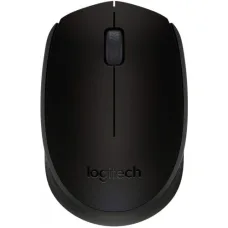
Logitech B170 Wireless Mouse
৳1,000


Logitech is a globally recognised technology brand specialising in computer peripherals, productivity devices, gaming hardware, webcams, headsets, microphones, speakers, presentation tools and video-conferencing equipment. The brand serves a wide range of users, from students and home computer users to professionals, content creators, gamers, streamers, businesses and hybrid-working teams. Its product portfolio includes everyday accessories as well as advanced devices designed for specialised workflows.
For customers in Bangladesh, Logitech is particularly relevant when choosing a keyboard, mouse, webcam, headset, speaker, gaming peripheral or complete desktop accessory setup. The brand's product families cover different budgets and use cases, making it possible to select equipment according to comfort, connectivity, productivity, gaming performance and workspace requirements.
Logitech Products in Bangladesh
Logitech offers a broad selection of computer and digital accessories. Its current product categories include mice, keyboards, keyboard and mouse combinations, webcams, headsets and earbuds, speakers, microphones, presentation devices, gaming peripherals, driving equipment and tablet keyboard accessories.
The breadth of the portfolio means that Logitech can serve very different customer requirements. A student may need a reliable wireless mouse and keyboard, an office worker may prefer an ergonomic setup, a content creator may need a high-quality webcam and microphone, while a gamer may look for a responsive gaming mouse, mechanical keyboard and dedicated gaming headset.
- Computer keyboards
- Wireless and wired mice
- Ergonomic keyboards and mice
- Keyboard and mouse combos
- Gaming keyboards and gaming mice
- Gaming headsets
- Business and office headsets
- Webcams and conference cameras
- Computer speakers
- Microphones
- Presentation remotes
- Gaming controllers and driving equipment
- Tablet keyboard cases
- Desk accessories and related peripherals
Logitech Keyboard
Logitech keyboards are available in several formats for different computing requirements. Customers can choose between compact keyboards, full-size layouts, wireless models, wired options, ergonomic designs, productivity-focused keyboards and gaming keyboards.
For office work, typing comfort and key layout can be more important than advanced gaming features. Professionals who spend many hours writing documents, working with spreadsheets, programming or managing business applications may prefer a keyboard designed around comfortable long-duration use.
Logitech also offers compact keyboards that save desk space. These can be useful for smaller workstations, home offices, laptop users and customers who prefer a minimal desktop setup.
Logitech Wireless Keyboard
A Logitech wireless keyboard can reduce cable clutter and provide greater flexibility when arranging a workspace. Depending on the model, wireless connectivity may use Bluetooth or a dedicated USB receiver.
Before buying a wireless keyboard, customers should check the supported operating systems, connection method, device compatibility, battery or charging arrangement and preferred keyboard layout. Users who frequently switch between multiple devices may benefit from a model designed for multi-device connectivity.
Logitech Mechanical Keyboard
Logitech mechanical keyboards are designed for users who prefer mechanical key switches and a more distinctive typing experience. They can be suitable for gaming, programming, content creation and everyday productivity.
Gaming-oriented Logitech mechanical keyboards may include features designed around responsiveness, customisation and gaming control. Productivity-focused mechanical keyboards can instead prioritise typing feel, workspace flexibility and compatibility with different operating systems.
Customers should consider switch type, keyboard layout, connection method, size and intended use before selecting a mechanical model. Mechanical keyboards can feel very different from one another, so the preferred typing experience is an important part of the buying decision.
Logitech Mouse
Logitech mice range from simple everyday models to advanced professional and gaming devices. A suitable mouse can make a noticeable difference to navigation, productivity and comfort during long computer sessions.
Basic Logitech mice can be appropriate for office computers, school work and general home use. Productivity-oriented models can offer additional controls, improved scrolling and multi-device functionality, while gaming mice are designed around precision, responsiveness and customisation.
Logitech Wireless Mouse
Wireless Logitech mice are popular for laptops, desktop computers and flexible workstations. Removing the traditional cable can make a desk cleaner and easier to organise.
Different wireless models use different connection technologies. Some rely on Bluetooth, while others use a dedicated wireless receiver. Certain models can support more than one connection method, which can be helpful for users who regularly move between a laptop and desktop computer.
Customers should also consider battery life, mouse size, hand shape, button configuration and operating surface. A technically advanced mouse is not necessarily the best choice if its shape does not suit the user's hand.
Logitech MX Series
The Logitech MX family is positioned toward productivity, creative work and professional computing. Products in the MX range include advanced mice, keyboards and other workspace devices designed for users who value precision, comfort, multi-device workflows and customisation.
Models such as the MX Master family are designed for productivity-heavy mouse use, while MX Keys and related keyboard products target professional typing and desktop workflows. Selected devices support multi-device workflows, allowing users to work across compatible computers without requiring a completely separate peripheral setup for every system.
The MX range is particularly relevant to programmers, designers, analysts, writers, office professionals and content creators who spend substantial time at a computer.
Logitech Ergo Series
Logitech's Ergo products focus on more comfortable interaction with computers. Ergonomic keyboards and mice can be useful for people who spend extended periods typing, navigating spreadsheets, programming or performing office tasks.
Ergonomic equipment should be selected according to individual hand size, preferred posture, desk height and working habits. An ergonomic mouse or keyboard can support a more comfortable setup, but correct workstation positioning remains important.
Logitech Keyboard and Mouse Combo
Logitech keyboard and mouse combos provide a convenient way to create a matching desktop setup. Combos can be useful for students, office workers, home users, reception desks and shared workstations.
Choosing a combo can also simplify purchasing because the keyboard and mouse are designed to work as a coordinated set. Customers should still check connection method, keyboard layout, operating system support and battery requirements before purchasing.
Logitech Webcam
Logitech webcams are widely used for video calls, online classes, remote work, live streaming, content creation and virtual meetings. The product range includes entry-level webcams as well as higher-end models designed for demanding video communication.
When selecting a Logitech webcam, customers should consider resolution, frame rate, autofocus behaviour, microphone quality, low-light performance, field of view and mounting requirements. The right specification depends on whether the webcam will mainly be used for casual calls, professional meetings, streaming or content production.
Logitech Brio Webcam
Brio is a Logitech webcam family aimed at users who want higher-quality video communication and content creation. Selected Brio models provide higher-resolution video and features intended to improve the appearance of video in different working environments.
Brio-class webcams can be suitable for professionals, streamers, educators, online presenters and creators who want a stronger camera setup than a basic laptop webcam. Customers should match the webcam with their lighting environment and computer capabilities to get the best practical result.
Logitech Headset
Logitech headsets are available for office communication, online meetings, gaming, remote work and general entertainment. The range includes USB headsets, wired 3.5 mm models, wireless headsets and gaming-focused designs.
For office users, microphone clarity and wearing comfort can be more important than extreme audio performance. Gaming users may prioritise positional audio, microphone performance, wireless freedom and compatibility with their gaming platform.
Logitech Gaming Headset
Logitech gaming headsets are designed for players who need immersive sound, clear communication and convenient control during gaming sessions. Selected models are available with wired or wireless connectivity and may include features such as surround or spatial audio support, programmable controls and gaming-oriented microphone systems.
Before buying a gaming headset, check whether it is compatible with the intended PC, PlayStation, Xbox or other platform. Wireless gaming headsets can also have platform-specific compatibility limitations, so customers should verify the exact model rather than assuming universal support.
Logitech G Gaming Products
Logitech G is the brand's gaming-focused family, covering gaming mice, keyboards, headsets, microphones, mouse pads, controllers and racing equipment. It is designed for gamers ranging from casual players to competitive users and content creators.
Gaming products in this range can be selected according to game type and playing style. A lightweight mouse may appeal to competitive FPS players, while additional buttons can be useful for MMO or productivity-oriented gaming. Mechanical keyboards can provide a different response compared with conventional membrane designs.
Logitech Gaming Mouse
A Logitech gaming mouse can be useful for competitive gaming, casual gaming and general PC use. Gaming models may provide higher precision, configurable controls, adjustable sensitivity and specialised connectivity options.
Competitive players should consider weight, shape, sensor performance, polling behaviour, button placement and connection stability. A mouse that feels comfortable during long sessions can be more valuable than one selected solely because it has the highest specification.
Logitech G PRO Series
The Logitech G PRO family is associated with competitive gaming hardware. Products in this family focus on performance-oriented gaming mice, keyboards and headsets, with selected wireless models designed for players who want fewer cables without giving up responsive control.
For competitive gaming, customers should consider the complete setup rather than focusing on one peripheral. Mouse shape, keyboard response, monitor performance, desk space and the player's preferred game genre all contribute to the final experience.
Logitech G502
The G502 family is one of Logitech's established gaming mouse lines. Its design philosophy centres around extensive control, customisation and gaming-oriented functionality. Different generations and variants can differ substantially in weight, switches, connectivity and feature sets.
Customers interested in a G502 should therefore compare the exact model before buying. A wired version, wireless version or newer generation may suit different gaming setups and budgets.
Logitech Webcam for Online Classes
Students can use Logitech webcams for online classes, virtual presentations, tutoring and group discussions. A dedicated webcam can improve camera positioning and image quality compared with many integrated laptop cameras.
For education, customers do not necessarily need the highest-resolution webcam. A reliable camera with suitable autofocus, clear audio and good compatibility can provide a more practical solution for everyday online learning.
Logitech Webcam for Streaming
Content creators and streamers can consider Logitech webcams when they need a straightforward camera for live broadcasts, tutorials, video calls or social content. Higher-end models can provide better image quality and more control than entry-level webcams.
Lighting remains extremely important. Even an advanced webcam can produce poor results in a dark or unevenly lit room. Customers should consider the entire recording environment rather than focusing only on camera resolution.
Logitech Microphones
Logitech offers microphones for gaming, streaming, communication and content creation. Dedicated microphones can provide a more controlled audio setup than the microphone built into a laptop or basic webcam.
Creators should consider microphone pickup pattern, connection method, mounting arrangement, room acoustics and intended recording style. USB microphones can be convenient for desktop setups because they generally require fewer additional components.
Logitech Speakers
Logitech speakers can be used with desktop computers, laptops, entertainment systems and gaming setups. The portfolio includes compact computer speakers as well as more capable multimedia and portable audio products.
When selecting speakers, customers should consider room size, listening distance, connection options, bass requirements and available desk space. A compact speaker system may be ideal for a small workstation, while a larger setup can be more suitable for entertainment-focused use.
Logitech Conference Cameras
Logitech conference cameras are designed for professional meeting environments. Businesses can use dedicated video-conferencing hardware for meeting rooms, collaboration spaces and hybrid work environments.
Conference equipment should be selected according to room size, participant count, display configuration, microphone coverage and the video-conferencing platform being used. Small meeting rooms and large conference rooms can require very different solutions.
Logitech Business Products
Logitech offers dedicated business products designed for office environments. These include keyboards, mice, webcams, headsets, presentation devices and video-conferencing solutions.
Business-focused peripherals can help standardise equipment across an organisation. Features such as wireless management, multi-device connectivity, ergonomic design, replaceable components and enterprise-oriented deployment options can be valuable when many employees use the same hardware environment.
Logitech for Office Work
Office users often spend several hours every day interacting with keyboards and mice. Comfortable peripherals can therefore contribute to a more practical workstation.
For administrative work, accounting, data entry, programming and document creation, keyboard comfort and accurate mouse control can be particularly important. Logitech offers both basic and advanced options, allowing businesses to match equipment with employee requirements and budget.
Logitech for Programming
Programmers can benefit from a keyboard with comfortable key spacing, reliable switches and a layout that suits long coding sessions. A precise mouse and multi-device workflow can also be useful for developers who move between different computers or displays.
Compact keyboards may appeal to programmers who want more desk space for a mouse, while full-size models can be preferable for users who frequently work with numerical data.
Logitech for Graphic Designers and Creators
Graphic designers, video editors, photographers and content creators often need accurate input devices and flexible workspace tools. Logitech productivity products can complement creative workflows by providing customisable controls, comfortable input and multi-device functionality on selected models.
Creators should consider software compatibility as well as physical hardware. A device with programmable controls can be particularly useful when its functions can be configured around frequently used applications.
Logitech for Students
Students can use Logitech keyboards, mice, webcams and headsets for studying, online classes, assignments, presentations and entertainment. Entry-level models can provide a practical upgrade over basic bundled peripherals, while more advanced devices can suit students who spend many hours at a computer.
For a student workstation, comfort, reliability and compatibility are usually more important than buying the most expensive peripheral available.
Logitech Compatibility
Compatibility should always be checked before purchasing a Logitech product. Different devices may support Windows, macOS, ChromeOS, Linux, iPadOS, Android or other platforms depending on the model.
Connection type is equally important. A Logitech product may use USB, Bluetooth, a dedicated wireless receiver or a combination of connection methods. Customers should check the available ports on their computer before selecting the product.
Logitech Software and Customisation
Selected Logitech peripherals can be configured through Logitech software. Depending on the product family, software can provide options for button customisation, device settings, application-specific profiles, lighting control and workflow configuration.
Customers should verify software compatibility with their operating system and exact model. Not every Logitech device supports the same software or customisation features.
Logi Options+ and Productivity
Logitech's productivity ecosystem includes software designed to help users configure compatible mice, keyboards and other devices. Features can include button customisation, application-specific actions and workflow adjustments.
This can be especially useful for professionals who use the same applications repeatedly. Designers, developers, analysts and office workers can configure compatible controls around their normal workflow rather than relying only on default functions.
Logitech Wireless Connectivity
Wireless Logitech devices can use different technologies depending on the model. Bluetooth can be convenient for laptops and mobile workstations, while dedicated wireless receivers can provide another connection method for compatible peripherals.
Some advanced products support switching between multiple devices. This can be useful for users who work with a desktop and laptop simultaneously and want to minimise the number of keyboards or mice on the desk.
Logitech Build Quality and Durability
Build quality is important when selecting a peripheral for daily use. Keyboard construction, mouse switches, scroll-wheel mechanisms, cable quality, connector design and battery systems can all affect long-term usability.
Gaming products may experience particularly intensive use, so gamers should consider the construction and intended workload of the model they choose. Office users should similarly select equipment appropriate for the number of hours it will be used each day.
Things to Consider Before Buying Logitech
- Choose the product according to your primary use.
- Check wired, Bluetooth or dedicated wireless connectivity.
- Verify operating system compatibility.
- Consider keyboard layout and physical size.
- Select mouse shape according to hand size and grip style.
- Check battery or charging requirements for wireless products.
- Review gaming platform compatibility for gaming devices.
- Consider webcam resolution, field of view and lighting conditions.
- Check headset microphone requirements for meetings or gaming.
- Verify software support for products requiring customisation.
- Consider warranty and after-sales service.
Logitech Price in Bangladesh
Logitech product prices in Bangladesh vary significantly according to product category, model, connectivity, features and market availability. Basic keyboards and mice generally require a smaller investment, while premium MX products, advanced webcams, gaming peripherals and professional conference equipment can cost considerably more.
Customers searching for Logitech price in Bangladesh should compare exact model numbers rather than comparing only product names. Different generations can have different switches, sensors, wireless technologies, software support and physical designs.
Logitech Mouse Price in Bangladesh
Logitech mouse prices depend on whether the product is designed for basic computing, productivity, ergonomic use or gaming. Entry-level wireless mice are suitable for simple everyday tasks, while MX and Logitech G products offer more specialised features for professional and gaming workflows.
When comparing prices, customers should also consider connection type, battery system, programmable controls, sensor capability, ergonomic design and software support.
Logitech Keyboard Price in Bangladesh
Logitech keyboard prices vary from basic wired keyboards to wireless productivity models, ergonomic designs and gaming keyboards. A suitable keyboard should be selected according to typing requirements, desk space, operating system and connection preference.
For gaming, switch type and responsiveness can be important. For office work, comfort and layout may matter more. For portable users, compact size and wireless connectivity can be more valuable.
Logitech Webcam Price in Bangladesh
Logitech webcam prices depend on image resolution, autofocus, microphone capability, field of view and additional video features. Entry-level webcams can be suitable for basic video calls, while advanced models can better serve professional meetings, streaming and content creation.
Logitech Gaming Price in Bangladesh
Logitech G gaming products cover different budgets and performance levels. Gaming mice, keyboards and headsets can vary substantially in features depending on the model.
Gamers should consider the type of games they play, preferred mouse weight, keyboard switch type, headset connection and desired wireless functionality rather than selecting equipment only according to price.
Why Buy Logitech from Unix Network?
Unix Network is a computer and technology store serving customers in Jessore, Jashore and across Bangladesh. Customers looking for Logitech keyboards, mice, webcams, headsets, gaming peripherals and other accessories can receive practical guidance when selecting the appropriate model.
- Logitech computer accessories for home and professional use
- Gaming peripherals for PC users
- Product selection assistance based on actual requirements
- Competitive pricing based on current availability
- Local computer shopping support in Jessore
- Nationwide delivery across Bangladesh
- Technical guidance for compatible products
- After-sales assistance for applicable products
Logitech Buying Guide
Begin by identifying the main task. For office work, prioritise typing comfort, ergonomic design and dependable connectivity. For gaming, consider sensor performance, response, switch characteristics, weight and platform compatibility. For video communication, focus on webcam image quality, microphone performance and field of view.
If you frequently switch between a laptop and desktop computer, consider a Logitech product designed for multi-device use. If you work at a desk for many hours, an ergonomic mouse or keyboard may provide greater practical value than a basic peripheral.
For a complete workstation, matching every component is not essential. A customer can combine a productivity keyboard with a gaming mouse, professional webcam and office headset according to their individual requirements.
Logitech Warranty and After-Sales Support
Warranty coverage varies according to the individual Logitech product, model, market and sales channel. Customers should confirm the applicable warranty terms when purchasing and retain the invoice or purchase documentation.
Proper use is also important for long-term reliability. Wireless devices should be charged or supplied with suitable batteries, USB devices should be connected carefully and gaming peripherals should be protected from unnecessary physical impact.
Logitech Delivery Across Bangladesh
Unix Network serves customers beyond Jessore, making Logitech products accessible to buyers in different parts of Bangladesh. Nationwide delivery can be useful for customers who need keyboards, mice, webcams, headsets, gaming accessories or other computer peripherals without visiting a physical showroom.
Before ordering, customers should confirm the exact model, connectivity method, compatibility and current availability. This is particularly important when purchasing specialised gaming or professional equipment.
Frequently Asked Questions About Logitech
What is Logitech best known for?
Logitech is best known for computer peripherals including keyboards, mice, webcams, headsets, speakers, microphones, gaming accessories and productivity devices.
Is Logitech good for office use?
Yes. Logitech offers many keyboards, mice, webcams and headsets designed for productivity and business environments. The right model depends on comfort, connectivity and workflow requirements.
Is Logitech good for gaming?
Yes. Logitech G provides dedicated gaming mice, keyboards, headsets, microphones, controllers and racing equipment for different types of gamers.
What is the Logitech MX series?
The MX series is focused primarily on professional productivity, creative workflows, comfort and advanced computer interaction. It includes products such as productivity mice and keyboards.
What is Logitech G?
Logitech G is Logitech's gaming-focused product family. It includes gaming mice, keyboards, headsets, microphones, controllers, mouse pads and racing equipment.
Does Logitech make wireless keyboards?
Yes. Logitech offers many wireless keyboards using technologies such as Bluetooth and dedicated wireless receivers, depending on the model.
Does Logitech make wireless mice?
Yes. Logitech has a large range of wireless mice for everyday computing, productivity, ergonomic use and gaming.
Are Logitech webcams suitable for online classes?
Yes. Logitech webcams can be used for online education, meetings, presentations and video calls. The appropriate model depends on the required image quality and microphone capabilities.
Can Logitech products work with laptops?
Many Logitech products are designed for laptops and desktop computers. Customers should check the exact model's operating system, USB, Bluetooth and wireless-receiver requirements before purchasing.
Where can I buy Logitech products in Jessore?
Customers in Jessore can explore available Logitech products through Unix Network, subject to current stock and model availability.
Can I buy Logitech products from outside Jessore?
Yes. Unix Network serves customers across Bangladesh and can provide nationwide delivery for applicable Logitech products.
Logitech at Unix Network
Logitech offers one of the broadest selections of computer peripherals for everyday users, professionals, gamers and content creators. From simple keyboards and wireless mice to MX productivity devices, Logitech G gaming hardware, webcams, microphones, headsets and conference equipment, the brand provides solutions for many different computing environments.
The best Logitech product is not necessarily the most expensive model. Customers should compare connectivity, comfort, compatibility, workload, software support and intended use before purchasing. Choosing the right peripheral can improve productivity, communication, gaming and overall computer usability.
For customers in Jessore, Jashore and throughout Bangladesh, Unix Network provides access to Logitech computer accessories with practical product guidance, competitive pricing, nationwide delivery and after-sales assistance for applicable products. Whether you need a keyboard for office work, a mouse for productivity, a webcam for online meetings, a headset for communication or Logitech G equipment for gaming, selecting the model according to your actual requirements can provide better long-term value.
Logitech is a globally recognised technology brand specialising in computer peripherals, productivity devices, gaming hardware, webcams, headsets, microphones, speakers, presentation tools and video-conferencing equipment. The brand serves a wide range of users, from students and home computer users to professionals, content creators, gamers, streamers, businesses and hybrid-working teams. Its product portfolio includes everyday accessories as well as advanced devices designed for specialised workflows.
For customers in Bangladesh, Logitech is particularly relevant when choosing a keyboard, mouse, webcam, headset, speaker, gaming peripheral or complete desktop accessory setup. The brand's product families cover different budgets and use cases, making it possible to select equipment according to comfort, connectivity, productivity, gaming performance and workspace requirements.
Logitech Products in Bangladesh
Logitech offers a broad selection of computer and digital accessories. Its current product categories include mice, keyboards, keyboard and mouse combinations, webcams, headsets and earbuds, speakers, microphones, presentation devices, gaming peripherals, driving equipment and tablet keyboard accessories.
The breadth of the portfolio means that Logitech can serve very different customer requirements. A student may need a reliable wireless mouse and keyboard, an office worker may prefer an ergonomic setup, a content creator may need a high-quality webcam and microphone, while a gamer may look for a responsive gaming mouse, mechanical keyboard and dedicated gaming headset.
- Computer keyboards
- Wireless and wired mice
- Ergonomic keyboards and mice
- Keyboard and mouse combos
- Gaming keyboards and gaming mice
- Gaming headsets
- Business and office headsets
- Webcams and conference cameras
- Computer speakers
- Microphones
- Presentation remotes
- Gaming controllers and driving equipment
- Tablet keyboard cases
- Desk accessories and related peripherals
Logitech Keyboard
Logitech keyboards are available in several formats for different computing requirements. Customers can choose between compact keyboards, full-size layouts, wireless models, wired options, ergonomic designs, productivity-focused keyboards and gaming keyboards.
For office work, typing comfort and key layout can be more important than advanced gaming features. Professionals who spend many hours writing documents, working with spreadsheets, programming or managing business applications may prefer a keyboard designed around comfortable long-duration use.
Logitech also offers compact keyboards that save desk space. These can be useful for smaller workstations, home offices, laptop users and customers who prefer a minimal desktop setup.
Logitech Wireless Keyboard
A Logitech wireless keyboard can reduce cable clutter and provide greater flexibility when arranging a workspace. Depending on the model, wireless connectivity may use Bluetooth or a dedicated USB receiver.
Before buying a wireless keyboard, customers should check the supported operating systems, connection method, device compatibility, battery or charging arrangement and preferred keyboard layout. Users who frequently switch between multiple devices may benefit from a model designed for multi-device connectivity.
Logitech Mechanical Keyboard
Logitech mechanical keyboards are designed for users who prefer mechanical key switches and a more distinctive typing experience. They can be suitable for gaming, programming, content creation and everyday productivity.
Gaming-oriented Logitech mechanical keyboards may include features designed around responsiveness, customisation and gaming control. Productivity-focused mechanical keyboards can instead prioritise typing feel, workspace flexibility and compatibility with different operating systems.
Customers should consider switch type, keyboard layout, connection method, size and intended use before selecting a mechanical model. Mechanical keyboards can feel very different from one another, so the preferred typing experience is an important part of the buying decision.
Logitech Mouse
Logitech mice range from simple everyday models to advanced professional and gaming devices. A suitable mouse can make a noticeable difference to navigation, productivity and comfort during long computer sessions.
Basic Logitech mice can be appropriate for office computers, school work and general home use. Productivity-oriented models can offer additional controls, improved scrolling and multi-device functionality, while gaming mice are designed around precision, responsiveness and customisation.
Logitech Wireless Mouse
Wireless Logitech mice are popular for laptops, desktop computers and flexible workstations. Removing the traditional cable can make a desk cleaner and easier to organise.
Different wireless models use different connection technologies. Some rely on Bluetooth, while others use a dedicated wireless receiver. Certain models can support more than one connection method, which can be helpful for users who regularly move between a laptop and desktop computer.
Customers should also consider battery life, mouse size, hand shape, button configuration and operating surface. A technically advanced mouse is not necessarily the best choice if its shape does not suit the user's hand.
Logitech MX Series
The Logitech MX family is positioned toward productivity, creative work and professional computing. Products in the MX range include advanced mice, keyboards and other workspace devices designed for users who value precision, comfort, multi-device workflows and customisation.
Models such as the MX Master family are designed for productivity-heavy mouse use, while MX Keys and related keyboard products target professional typing and desktop workflows. Selected devices support multi-device workflows, allowing users to work across compatible computers without requiring a completely separate peripheral setup for every system.
The MX range is particularly relevant to programmers, designers, analysts, writers, office professionals and content creators who spend substantial time at a computer.
Logitech Ergo Series
Logitech's Ergo products focus on more comfortable interaction with computers. Ergonomic keyboards and mice can be useful for people who spend extended periods typing, navigating spreadsheets, programming or performing office tasks.
Ergonomic equipment should be selected according to individual hand size, preferred posture, desk height and working habits. An ergonomic mouse or keyboard can support a more comfortable setup, but correct workstation positioning remains important.
Logitech Keyboard and Mouse Combo
Logitech keyboard and mouse combos provide a convenient way to create a matching desktop setup. Combos can be useful for students, office workers, home users, reception desks and shared workstations.
Choosing a combo can also simplify purchasing because the keyboard and mouse are designed to work as a coordinated set. Customers should still check connection method, keyboard layout, operating system support and battery requirements before purchasing.
Logitech Webcam
Logitech webcams are widely used for video calls, online classes, remote work, live streaming, content creation and virtual meetings. The product range includes entry-level webcams as well as higher-end models designed for demanding video communication.
When selecting a Logitech webcam, customers should consider resolution, frame rate, autofocus behaviour, microphone quality, low-light performance, field of view and mounting requirements. The right specification depends on whether the webcam will mainly be used for casual calls, professional meetings, streaming or content production.
Logitech Brio Webcam
Brio is a Logitech webcam family aimed at users who want higher-quality video communication and content creation. Selected Brio models provide higher-resolution video and features intended to improve the appearance of video in different working environments.
Brio-class webcams can be suitable for professionals, streamers, educators, online presenters and creators who want a stronger camera setup than a basic laptop webcam. Customers should match the webcam with their lighting environment and computer capabilities to get the best practical result.
Logitech Headset
Logitech headsets are available for office communication, online meetings, gaming, remote work and general entertainment. The range includes USB headsets, wired 3.5 mm models, wireless headsets and gaming-focused designs.
For office users, microphone clarity and wearing comfort can be more important than extreme audio performance. Gaming users may prioritise positional audio, microphone performance, wireless freedom and compatibility with their gaming platform.
Logitech Gaming Headset
Logitech gaming headsets are designed for players who need immersive sound, clear communication and convenient control during gaming sessions. Selected models are available with wired or wireless connectivity and may include features such as surround or spatial audio support, programmable controls and gaming-oriented microphone systems.
Before buying a gaming headset, check whether it is compatible with the intended PC, PlayStation, Xbox or other platform. Wireless gaming headsets can also have platform-specific compatibility limitations, so customers should verify the exact model rather than assuming universal support.
Logitech G Gaming Products
Logitech G is the brand's gaming-focused family, covering gaming mice, keyboards, headsets, microphones, mouse pads, controllers and racing equipment. It is designed for gamers ranging from casual players to competitive users and content creators.
Gaming products in this range can be selected according to game type and playing style. A lightweight mouse may appeal to competitive FPS players, while additional buttons can be useful for MMO or productivity-oriented gaming. Mechanical keyboards can provide a different response compared with conventional membrane designs.
Logitech Gaming Mouse
A Logitech gaming mouse can be useful for competitive gaming, casual gaming and general PC use. Gaming models may provide higher precision, configurable controls, adjustable sensitivity and specialised connectivity options.
Competitive players should consider weight, shape, sensor performance, polling behaviour, button placement and connection stability. A mouse that feels comfortable during long sessions can be more valuable than one selected solely because it has the highest specification.
Logitech G PRO Series
The Logitech G PRO family is associated with competitive gaming hardware. Products in this family focus on performance-oriented gaming mice, keyboards and headsets, with selected wireless models designed for players who want fewer cables without giving up responsive control.
For competitive gaming, customers should consider the complete setup rather than focusing on one peripheral. Mouse shape, keyboard response, monitor performance, desk space and the player's preferred game genre all contribute to the final experience.
Logitech G502
The G502 family is one of Logitech's established gaming mouse lines. Its design philosophy centres around extensive control, customisation and gaming-oriented functionality. Different generations and variants can differ substantially in weight, switches, connectivity and feature sets.
Customers interested in a G502 should therefore compare the exact model before buying. A wired version, wireless version or newer generation may suit different gaming setups and budgets.
Logitech Webcam for Online Classes
Students can use Logitech webcams for online classes, virtual presentations, tutoring and group discussions. A dedicated webcam can improve camera positioning and image quality compared with many integrated laptop cameras.
For education, customers do not necessarily need the highest-resolution webcam. A reliable camera with suitable autofocus, clear audio and good compatibility can provide a more practical solution for everyday online learning.
Logitech Webcam for Streaming
Content creators and streamers can consider Logitech webcams when they need a straightforward camera for live broadcasts, tutorials, video calls or social content. Higher-end models can provide better image quality and more control than entry-level webcams.
Lighting remains extremely important. Even an advanced webcam can produce poor results in a dark or unevenly lit room. Customers should consider the entire recording environment rather than focusing only on camera resolution.
Logitech Microphones
Logitech offers microphones for gaming, streaming, communication and content creation. Dedicated microphones can provide a more controlled audio setup than the microphone built into a laptop or basic webcam.
Creators should consider microphone pickup pattern, connection method, mounting arrangement, room acoustics and intended recording style. USB microphones can be convenient for desktop setups because they generally require fewer additional components.
Logitech Speakers
Logitech speakers can be used with desktop computers, laptops, entertainment systems and gaming setups. The portfolio includes compact computer speakers as well as more capable multimedia and portable audio products.
When selecting speakers, customers should consider room size, listening distance, connection options, bass requirements and available desk space. A compact speaker system may be ideal for a small workstation, while a larger setup can be more suitable for entertainment-focused use.
Logitech Conference Cameras
Logitech conference cameras are designed for professional meeting environments. Businesses can use dedicated video-conferencing hardware for meeting rooms, collaboration spaces and hybrid work environments.
Conference equipment should be selected according to room size, participant count, display configuration, microphone coverage and the video-conferencing platform being used. Small meeting rooms and large conference rooms can require very different solutions.
Logitech Business Products
Logitech offers dedicated business products designed for office environments. These include keyboards, mice, webcams, headsets, presentation devices and video-conferencing solutions.
Business-focused peripherals can help standardise equipment across an organisation. Features such as wireless management, multi-device connectivity, ergonomic design, replaceable components and enterprise-oriented deployment options can be valuable when many employees use the same hardware environment.
Logitech for Office Work
Office users often spend several hours every day interacting with keyboards and mice. Comfortable peripherals can therefore contribute to a more practical workstation.
For administrative work, accounting, data entry, programming and document creation, keyboard comfort and accurate mouse control can be particularly important. Logitech offers both basic and advanced options, allowing businesses to match equipment with employee requirements and budget.
Logitech for Programming
Programmers can benefit from a keyboard with comfortable key spacing, reliable switches and a layout that suits long coding sessions. A precise mouse and multi-device workflow can also be useful for developers who move between different computers or displays.
Compact keyboards may appeal to programmers who want more desk space for a mouse, while full-size models can be preferable for users who frequently work with numerical data.
Logitech for Graphic Designers and Creators
Graphic designers, video editors, photographers and content creators often need accurate input devices and flexible workspace tools. Logitech productivity products can complement creative workflows by providing customisable controls, comfortable input and multi-device functionality on selected models.
Creators should consider software compatibility as well as physical hardware. A device with programmable controls can be particularly useful when its functions can be configured around frequently used applications.
Logitech for Students
Students can use Logitech keyboards, mice, webcams and headsets for studying, online classes, assignments, presentations and entertainment. Entry-level models can provide a practical upgrade over basic bundled peripherals, while more advanced devices can suit students who spend many hours at a computer.
For a student workstation, comfort, reliability and compatibility are usually more important than buying the most expensive peripheral available.
Logitech Compatibility
Compatibility should always be checked before purchasing a Logitech product. Different devices may support Windows, macOS, ChromeOS, Linux, iPadOS, Android or other platforms depending on the model.
Connection type is equally important. A Logitech product may use USB, Bluetooth, a dedicated wireless receiver or a combination of connection methods. Customers should check the available ports on their computer before selecting the product.
Logitech Software and Customisation
Selected Logitech peripherals can be configured through Logitech software. Depending on the product family, software can provide options for button customisation, device settings, application-specific profiles, lighting control and workflow configuration.
Customers should verify software compatibility with their operating system and exact model. Not every Logitech device supports the same software or customisation features.
Logi Options+ and Productivity
Logitech's productivity ecosystem includes software designed to help users configure compatible mice, keyboards and other devices. Features can include button customisation, application-specific actions and workflow adjustments.
This can be especially useful for professionals who use the same applications repeatedly. Designers, developers, analysts and office workers can configure compatible controls around their normal workflow rather than relying only on default functions.
Logitech Wireless Connectivity
Wireless Logitech devices can use different technologies depending on the model. Bluetooth can be convenient for laptops and mobile workstations, while dedicated wireless receivers can provide another connection method for compatible peripherals.
Some advanced products support switching between multiple devices. This can be useful for users who work with a desktop and laptop simultaneously and want to minimise the number of keyboards or mice on the desk.
Logitech Build Quality and Durability
Build quality is important when selecting a peripheral for daily use. Keyboard construction, mouse switches, scroll-wheel mechanisms, cable quality, connector design and battery systems can all affect long-term usability.
Gaming products may experience particularly intensive use, so gamers should consider the construction and intended workload of the model they choose. Office users should similarly select equipment appropriate for the number of hours it will be used each day.
Things to Consider Before Buying Logitech
- Choose the product according to your primary use.
- Check wired, Bluetooth or dedicated wireless connectivity.
- Verify operating system compatibility.
- Consider keyboard layout and physical size.
- Select mouse shape according to hand size and grip style.
- Check battery or charging requirements for wireless products.
- Review gaming platform compatibility for gaming devices.
- Consider webcam resolution, field of view and lighting conditions.
- Check headset microphone requirements for meetings or gaming.
- Verify software support for products requiring customisation.
- Consider warranty and after-sales service.
Logitech Price in Bangladesh
Logitech product prices in Bangladesh vary significantly according to product category, model, connectivity, features and market availability. Basic keyboards and mice generally require a smaller investment, while premium MX products, advanced webcams, gaming peripherals and professional conference equipment can cost considerably more.
Customers searching for Logitech price in Bangladesh should compare exact model numbers rather than comparing only product names. Different generations can have different switches, sensors, wireless technologies, software support and physical designs.
Logitech Mouse Price in Bangladesh
Logitech mouse prices depend on whether the product is designed for basic computing, productivity, ergonomic use or gaming. Entry-level wireless mice are suitable for simple everyday tasks, while MX and Logitech G products offer more specialised features for professional and gaming workflows.
When comparing prices, customers should also consider connection type, battery system, programmable controls, sensor capability, ergonomic design and software support.
Logitech Keyboard Price in Bangladesh
Logitech keyboard prices vary from basic wired keyboards to wireless productivity models, ergonomic designs and gaming keyboards. A suitable keyboard should be selected according to typing requirements, desk space, operating system and connection preference.
For gaming, switch type and responsiveness can be important. For office work, comfort and layout may matter more. For portable users, compact size and wireless connectivity can be more valuable.
Logitech Webcam Price in Bangladesh
Logitech webcam prices depend on image resolution, autofocus, microphone capability, field of view and additional video features. Entry-level webcams can be suitable for basic video calls, while advanced models can better serve professional meetings, streaming and content creation.
Logitech Gaming Price in Bangladesh
Logitech G gaming products cover different budgets and performance levels. Gaming mice, keyboards and headsets can vary substantially in features depending on the model.
Gamers should consider the type of games they play, preferred mouse weight, keyboard switch type, headset connection and desired wireless functionality rather than selecting equipment only according to price.
Why Buy Logitech from Unix Network?
Unix Network is a computer and technology store serving customers in Jessore, Jashore and across Bangladesh. Customers looking for Logitech keyboards, mice, webcams, headsets, gaming peripherals and other accessories can receive practical guidance when selecting the appropriate model.
- Logitech computer accessories for home and professional use
- Gaming peripherals for PC users
- Product selection assistance based on actual requirements
- Competitive pricing based on current availability
- Local computer shopping support in Jessore
- Nationwide delivery across Bangladesh
- Technical guidance for compatible products
- After-sales assistance for applicable products
Logitech Buying Guide
Begin by identifying the main task. For office work, prioritise typing comfort, ergonomic design and dependable connectivity. For gaming, consider sensor performance, response, switch characteristics, weight and platform compatibility. For video communication, focus on webcam image quality, microphone performance and field of view.
If you frequently switch between a laptop and desktop computer, consider a Logitech product designed for multi-device use. If you work at a desk for many hours, an ergonomic mouse or keyboard may provide greater practical value than a basic peripheral.
For a complete workstation, matching every component is not essential. A customer can combine a productivity keyboard with a gaming mouse, professional webcam and office headset according to their individual requirements.
Logitech Warranty and After-Sales Support
Warranty coverage varies according to the individual Logitech product, model, market and sales channel. Customers should confirm the applicable warranty terms when purchasing and retain the invoice or purchase documentation.
Proper use is also important for long-term reliability. Wireless devices should be charged or supplied with suitable batteries, USB devices should be connected carefully and gaming peripherals should be protected from unnecessary physical impact.
Logitech Delivery Across Bangladesh
Unix Network serves customers beyond Jessore, making Logitech products accessible to buyers in different parts of Bangladesh. Nationwide delivery can be useful for customers who need keyboards, mice, webcams, headsets, gaming accessories or other computer peripherals without visiting a physical showroom.
Before ordering, customers should confirm the exact model, connectivity method, compatibility and current availability. This is particularly important when purchasing specialised gaming or professional equipment.
Frequently Asked Questions About Logitech
What is Logitech best known for?
Logitech is best known for computer peripherals including keyboards, mice, webcams, headsets, speakers, microphones, gaming accessories and productivity devices.
Is Logitech good for office use?
Yes. Logitech offers many keyboards, mice, webcams and headsets designed for productivity and business environments. The right model depends on comfort, connectivity and workflow requirements.
Is Logitech good for gaming?
Yes. Logitech G provides dedicated gaming mice, keyboards, headsets, microphones, controllers and racing equipment for different types of gamers.
What is the Logitech MX series?
The MX series is focused primarily on professional productivity, creative workflows, comfort and advanced computer interaction. It includes products such as productivity mice and keyboards.
What is Logitech G?
Logitech G is Logitech's gaming-focused product family. It includes gaming mice, keyboards, headsets, microphones, controllers, mouse pads and racing equipment.
Does Logitech make wireless keyboards?
Yes. Logitech offers many wireless keyboards using technologies such as Bluetooth and dedicated wireless receivers, depending on the model.
Does Logitech make wireless mice?
Yes. Logitech has a large range of wireless mice for everyday computing, productivity, ergonomic use and gaming.
Are Logitech webcams suitable for online classes?
Yes. Logitech webcams can be used for online education, meetings, presentations and video calls. The appropriate model depends on the required image quality and microphone capabilities.
Can Logitech products work with laptops?
Many Logitech products are designed for laptops and desktop computers. Customers should check the exact model's operating system, USB, Bluetooth and wireless-receiver requirements before purchasing.
Where can I buy Logitech products in Jessore?
Customers in Jessore can explore available Logitech products through Unix Network, subject to current stock and model availability.
Can I buy Logitech products from outside Jessore?
Yes. Unix Network serves customers across Bangladesh and can provide nationwide delivery for applicable Logitech products.
Logitech at Unix Network
Logitech offers one of the broadest selections of computer peripherals for everyday users, professionals, gamers and content creators. From simple keyboards and wireless mice to MX productivity devices, Logitech G gaming hardware, webcams, microphones, headsets and conference equipment, the brand provides solutions for many different computing environments.
The best Logitech product is not necessarily the most expensive model. Customers should compare connectivity, comfort, compatibility, workload, software support and intended use before purchasing. Choosing the right peripheral can improve productivity, communication, gaming and overall computer usability.
For customers in Jessore, Jashore and throughout Bangladesh, Unix Network provides access to Logitech computer accessories with practical product guidance, competitive pricing, nationwide delivery and after-sales assistance for applicable products. Whether you need a keyboard for office work, a mouse for productivity, a webcam for online meetings, a headset for communication or Logitech G equipment for gaming, selecting the model according to your actual requirements can provide better long-term value.